
[PC Gamer} Steam turbo-charges its performance overlay, shows you how many real and framegen frames you're getting and,


[PC Gamer} Steam turbo-charges its performance overlay, shows you how many real and framegen frames you're getting and,
yesterday's Steam client beta update, that function has now been supercharged. Farewell, In-Game FPS Counter. Hello, In-Game Overlay Performance Monitor.Image 1 of 4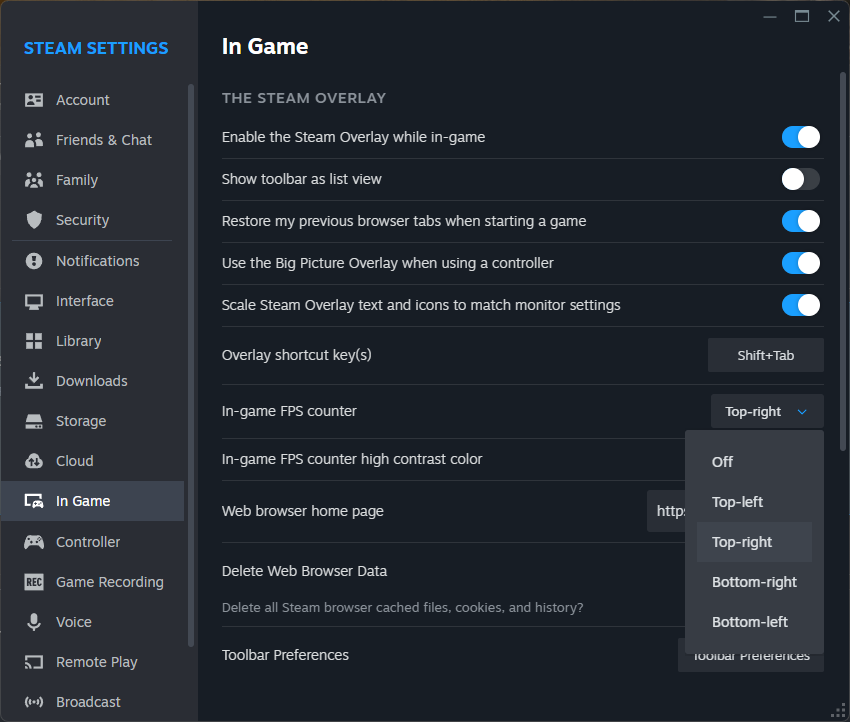 The old FPS counter options, currently available on Steam's stable branch. (Image credit: Valve)Image 2 of 4
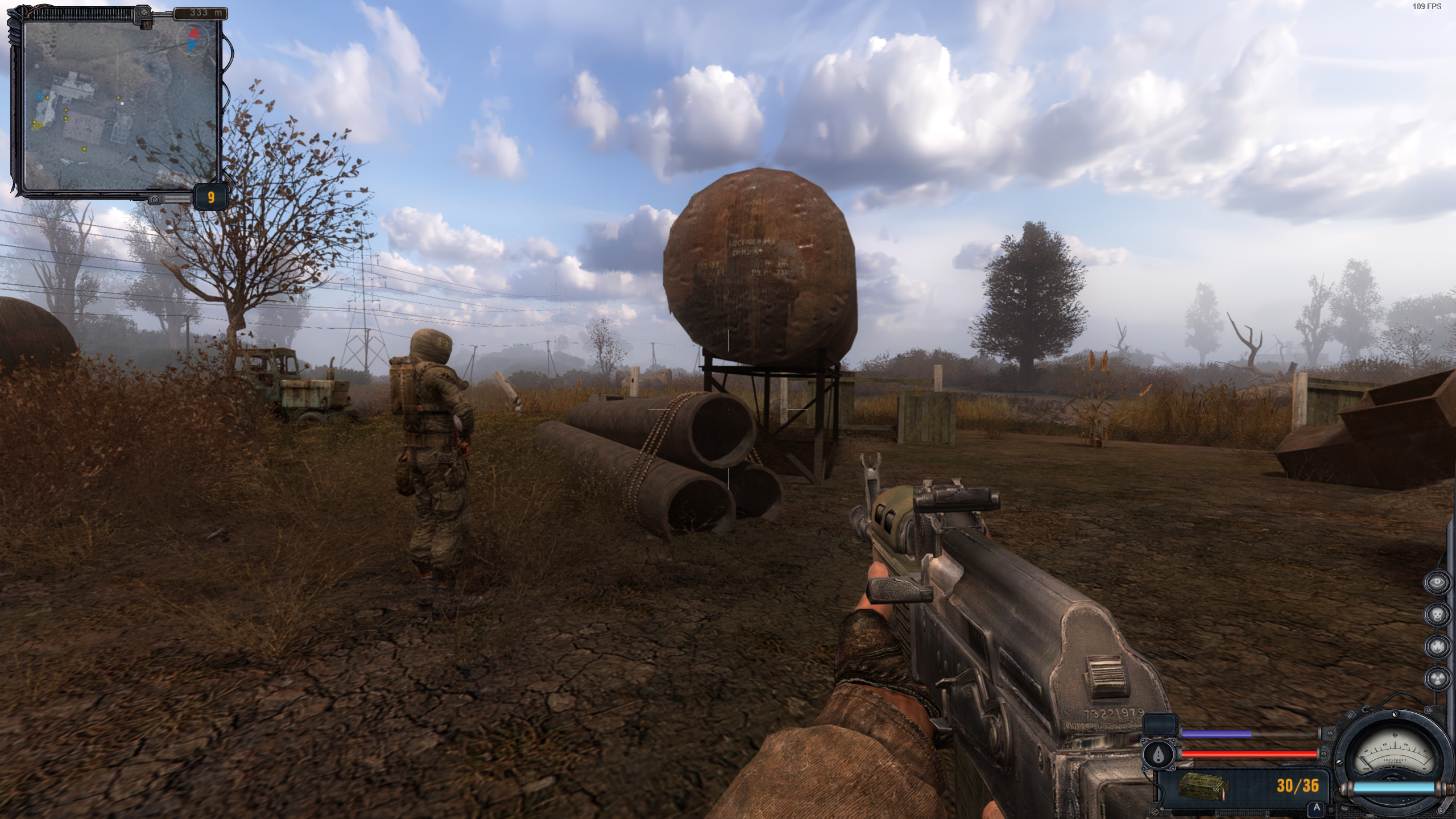 The old FPS counter at work, barely visible in the top right. (Image credit: GSC Game World)Image 3 of 4
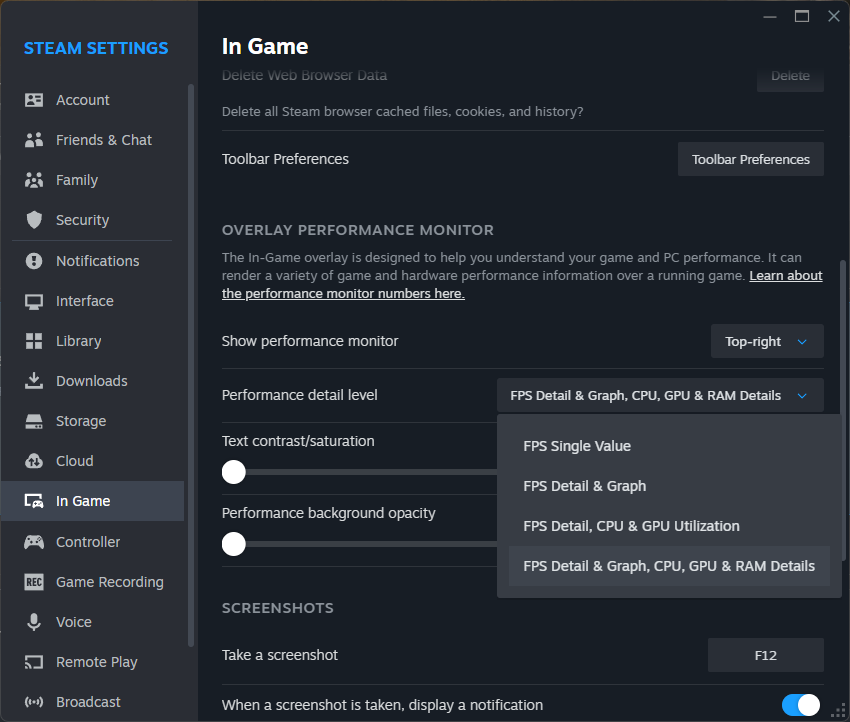 The new performance overlay options. (Image credit: Valve)Image 4 of 4
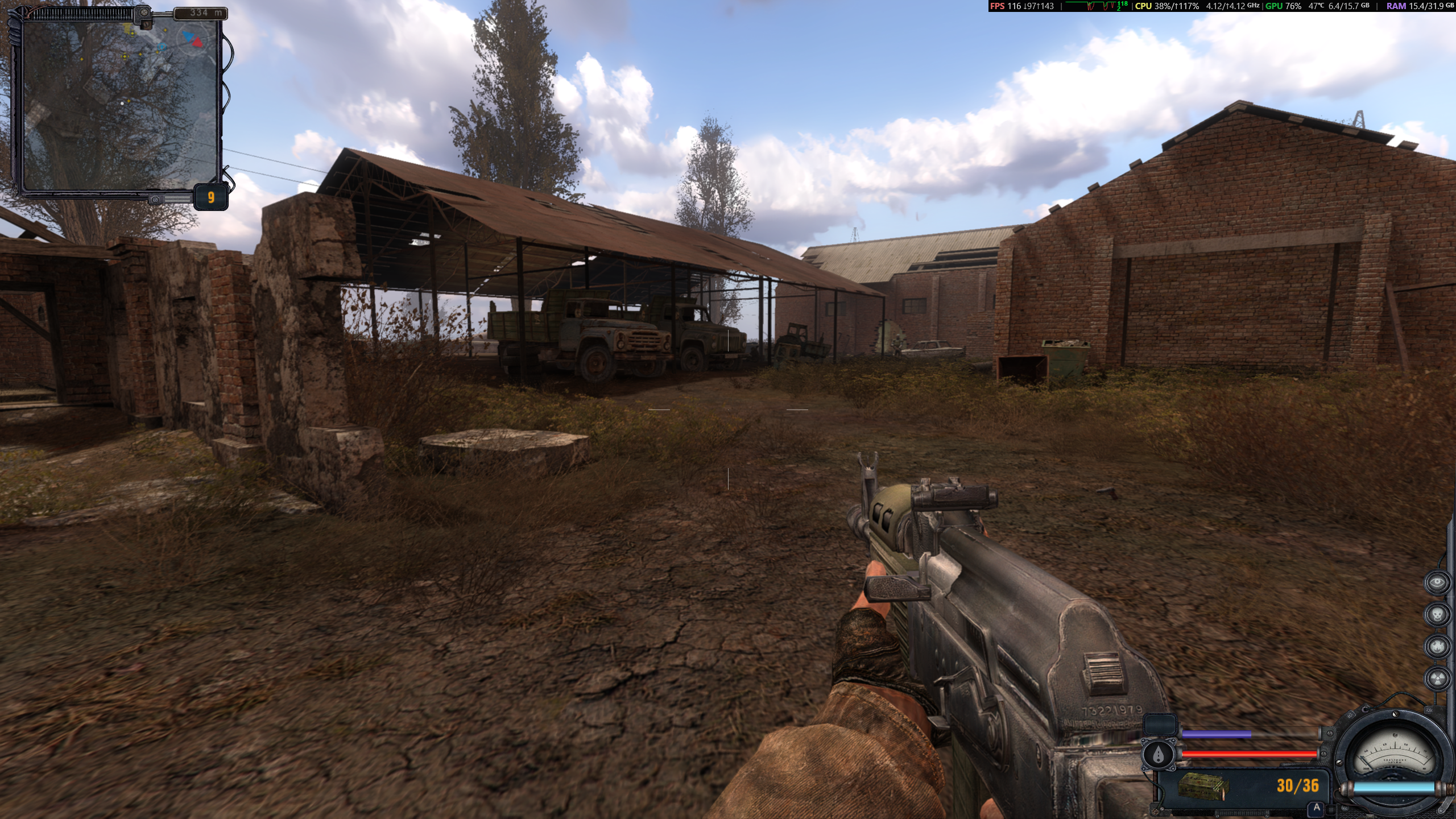 The new performance overlay in action. (Image credit: GSC Game World)I've had a muck about with it, and it's pretty neat. In place of the plain-jane FPS tracker of yesteryear, Steam will now show you, at the highest level of detail, the current FPS divided into 'real' and generated (think DLSS) frames, an FPS graph, your GPU load and temp, CPU load, and RAM usage. Like before, you can stick it in any corner of your screen, and also set the text contrast and background opacity to make sure you can actually see it against whatever game you've got going.To Steam Deck users, it'll be very familiar—it's almost (almost) identical to the Deck's level 2 performance overlay. Valve has put out a whole breakdown of what each section is measuring if you want to get into the nitty-gritty.It's good stuff, and hopefully means fewer of us will have to go out and install third-party programs to get a proper insight into what's going on with our games in future, but it's not the only thing Steam's stuck in a beta recently. As spotted by GamingOnLinux, Valve recently altered the beta client's default Linux settings: henceforth, Steam's Proton compatibility layer—the black magic that lets your Windows games work on Linux-based OSes like the Deck's SteamOS—is available for your entire library by default.Previously, Proton would only work by default for games that had been specifically verified as working, and users would have to flick a toggle in settings to enable it for anything else, causing a bit of a kerfuffle when people who didn't know about the setting found themselves inexplicably unable to run certain Windows games on their Linux distros. Now Proton just works for anything without a native Linux box right out of the box, so long as users are on the latest Steam client beta.If you, too, would like to enter a brave new world of robust HUD settings and Proton-by-default, you can head to the Interface section in your Steam client preferences and opt into the Steam Beta Update under Client Beta Participation. Not me, though. There are some things man wasn't meant to know.2025 games: This year's upcoming releases
Best PC games: Our all-time favorites
Free PC games: Freebie fest
Best FPS games: Finest gunplay
Best RPGs: Grand adventures
Best co-op games: Better together
Source: https://www.pcgamer.com/software/platfo ... fault-now/
The old FPS counter options, currently available on Steam's stable branch. (Image credit: Valve)Image 2 of 4The old FPS counter at work, barely visible in the top right. (Image credit: GSC Game World)Image 3 of 4The new performance overlay options. (Image credit: Valve)Image 4 of 4The new performance overlay in action. (Image credit: GSC Game World)I've had a muck about with it, and it's pretty neat. In place of the plain-jane FPS tracker of yesteryear, Steam will now show you, at the highest level of detail, the current FPS divided into 'real' and generated (think DLSS) frames, an FPS graph, your GPU load and temp, CPU load, and RAM usage. Like before, you can stick it in any corner of your screen, and also set the text contrast and background opacity to make sure you can actually see it against whatever game you've got going.To Steam Deck users, it'll be very familiar—it's almost (almost) identical to the Deck's level 2 performance overlay. Valve has put out a whole breakdown of what each section is measuring if you want to get into the nitty-gritty.It's good stuff, and hopefully means fewer of us will have to go out and install third-party programs to get a proper insight into what's going on with our games in future, but it's not the only thing Steam's stuck in a beta recently. As spotted by GamingOnLinux, Valve recently altered the beta client's default Linux settings: henceforth, Steam's Proton compatibility layer—the black magic that lets your Windows games work on Linux-based OSes like the Deck's SteamOS—is available for your entire library by default.Previously, Proton would only work by default for games that had been specifically verified as working, and users would have to flick a toggle in settings to enable it for anything else, causing a bit of a kerfuffle when people who didn't know about the setting found themselves inexplicably unable to run certain Windows games on their Linux distros. Now Proton just works for anything without a native Linux box right out of the box, so long as users are on the latest Steam client beta.If you, too, would like to enter a brave new world of robust HUD settings and Proton-by-default, you can head to the Interface section in your Steam client preferences and opt into the Steam Beta Update under Client Beta Participation. Not me, though. There are some things man wasn't meant to know.2025 games: This year's upcoming releasesBest PC games: Our all-time favorites
Free PC games: Freebie fest
Best FPS games: Finest gunplay
Best RPGs: Grand adventures
Best co-op games: Better together
Source: https://www.pcgamer.com/software/platfo ... fault-now/
 This bot is specced exclusively in RSS delivery. No quests, no chats, no side missions. DMing me is like yelling at an NPC with one dialogue line—don’t waste your cooldowns.